The story behind Loopfall
Twelve years in a tunnel
Loopfall started with a picture I didn't make, saved in a folder I'd almost forgotten. Getting from there to a game took twelve years, and two attempts to leave Unity along the way. During Steam Next Fest I went looking for where it all began and found more than I expected. Here it is, in order.
A folder called Inspiration
Around 2013 I had a habit. I'd search Google Images for things like "abstract", scroll for ages, and save anything that caught my eye into a folder called Inspiration. It grew to about two hundred pictures. I had no plan for them. I just hoped one would turn into a game one day.
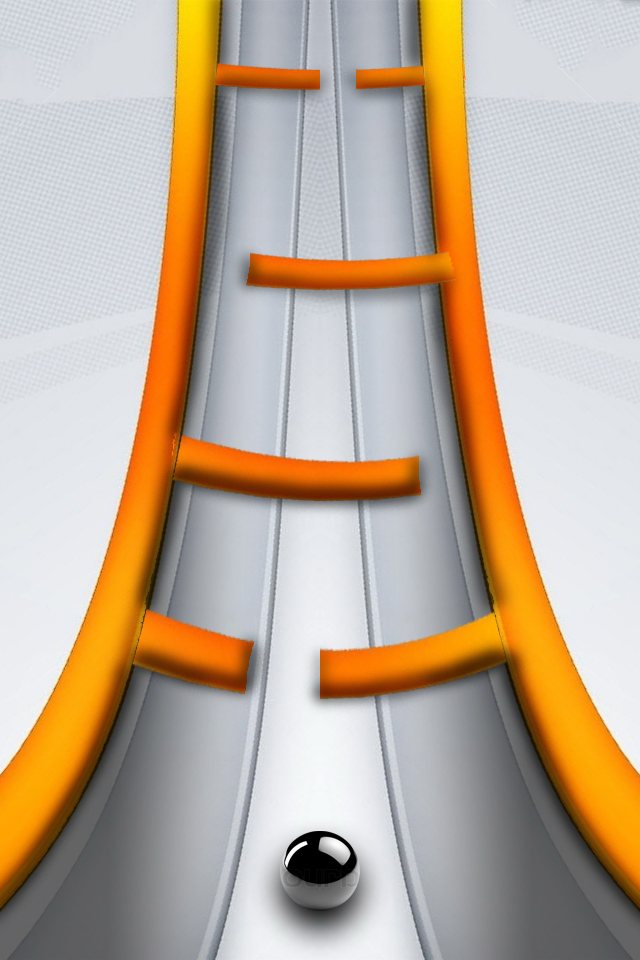
One did.

I stared at it for months. In my notes from 2014 I tried to explain why:
"I like how clean it is, but at the same time I feel speed in it. As if I were flying through a wormhole… like the fly-through in Stargate, but with a light background and a nice contrast of colors."
Photoshop, no engine
I still didn't know what the game was. So I opened the picture in Photoshop and painted over it. The orange swooshes became rails, and then bars across the tube with small gaps in them. Gates. That was the first time the game showed up.
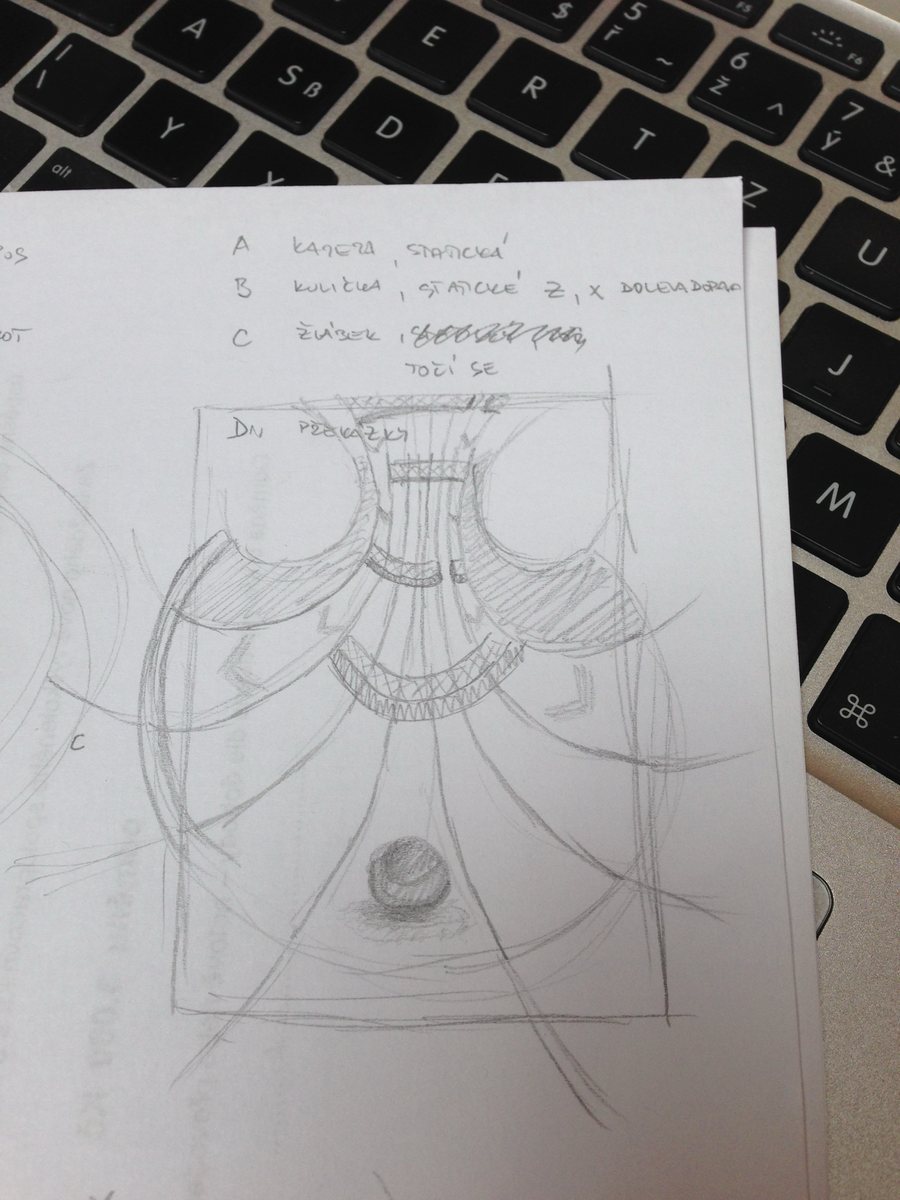
Next I sketched it on paper, mostly to figure out the camera. The notes are in Czech: the camera stays still, the ball only moves left and right, the trough turns, and the obstacles come at you.
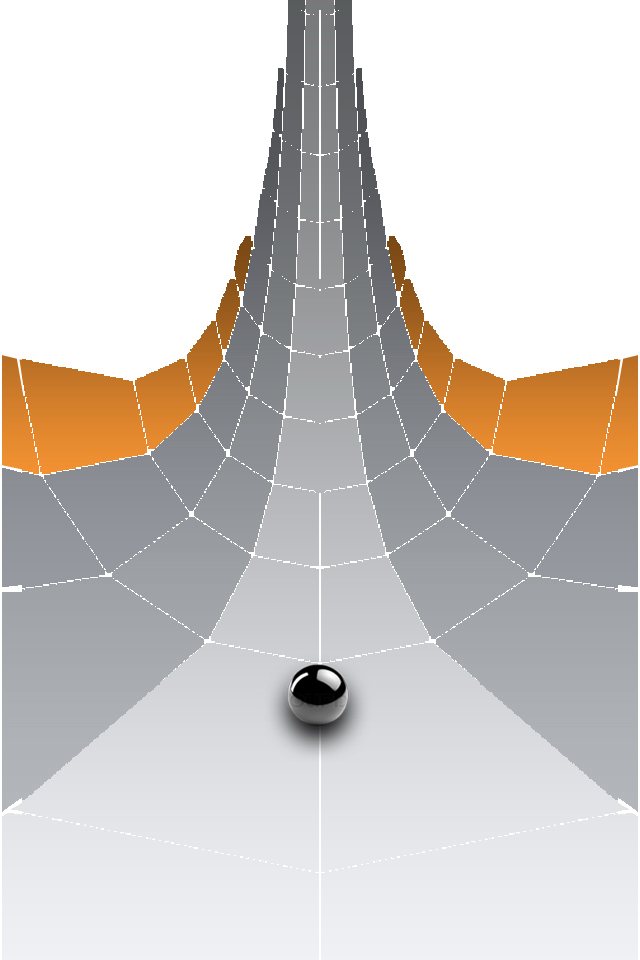
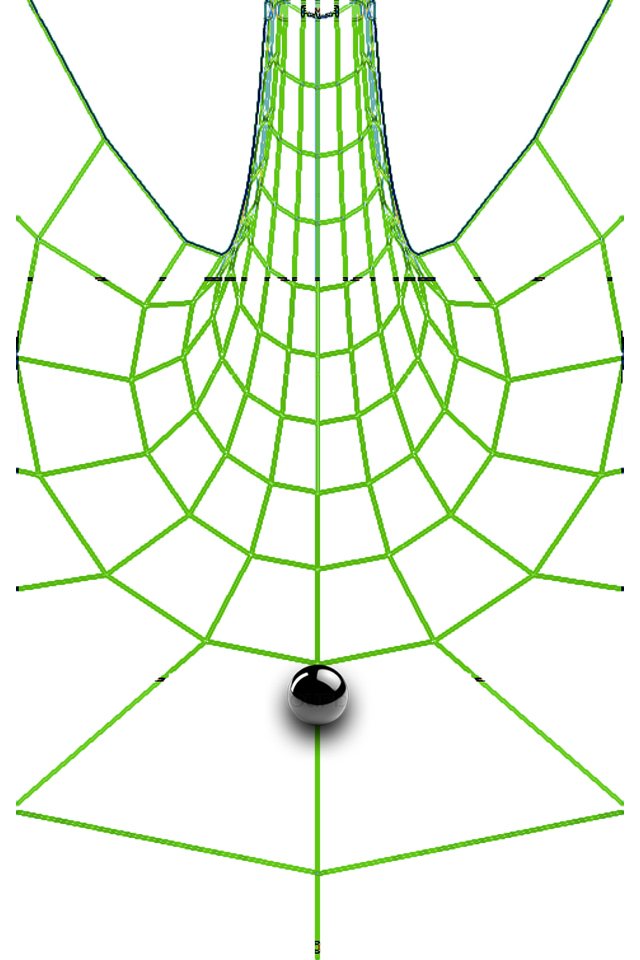
Then two more images, still without any 3D software or game engine. Just Photoshop's fill tool and a lot of patience, faking the depth of a tube that narrows into the distance.
Two pages in Czech
On May 12, 2014, I wrote it all down: two pages in Word, in Czech, because my English wasn't good enough yet. I called it BALL PROJECT. The date is still inside the PDF.
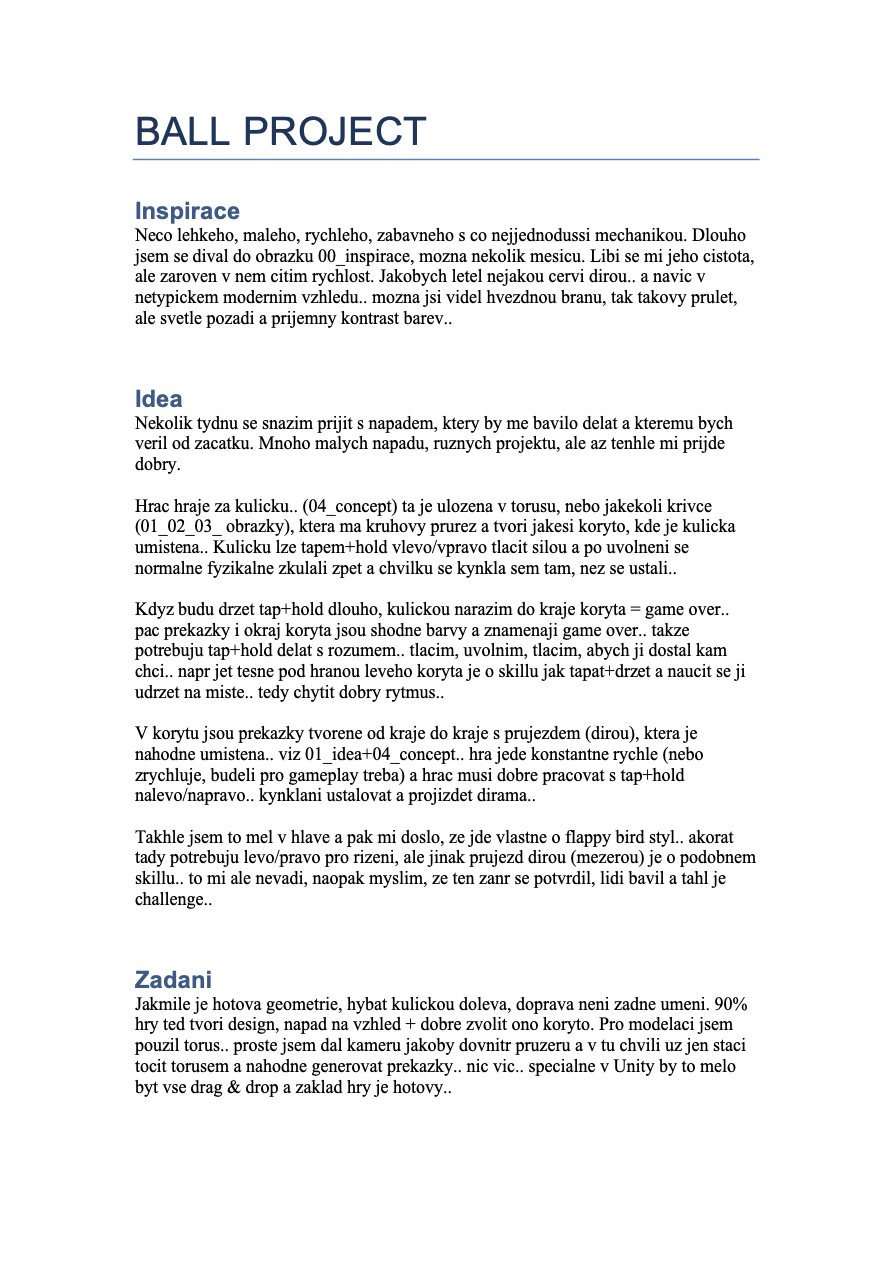
Reading it now, most of Loopfall is already there:
"The ball can be pushed left or right with tap and hold. When you let go, it rolls back on its own, with real physics, and rocks back and forth for a while before it settles."
"In the trough there are obstacles from edge to edge, each with a gap in a random place."
Then the honest part:
"That's how I had it in my head, and then I realized it's basically Flappy Bird… That doesn't bother me. On the contrary, I think the genre has proven itself: people enjoyed it, and the challenge pulled them in."
Flappy Bird had been pulled from the App Store three months earlier, and everyone was still talking about it. My favorite line, though, is this one:
"Once the geometry is done, moving the ball left and right is no big deal… In Unity it should all be drag and drop, and the core of the game is done."
It took twelve years.
Tapper
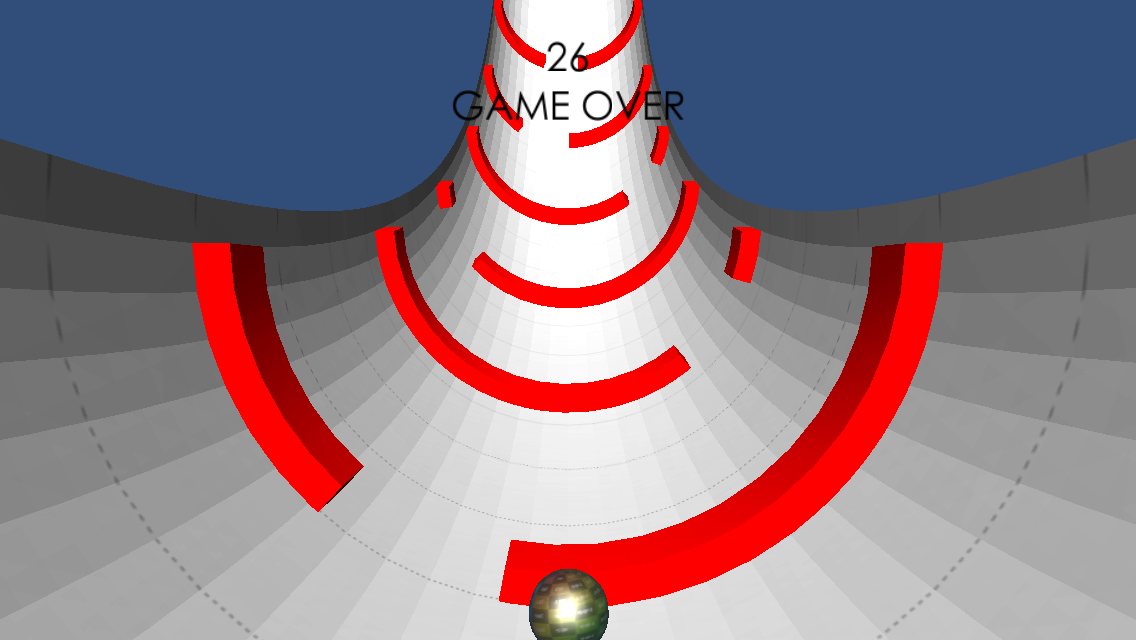
In August 2014 I started building it in Unity 4.3.4. I called the project Tapper. By then the doc's tap and hold had turned into a single tap: left half of the screen, right half. Later the project became Ballrace, and the folder on my Mac is still called that.
It had two main scripts: torus.cs for the tube and sphere.cs for the ball.
The idea fits in one sentence: nudge the ball left or right. Developers say it in their talks all the
time: a simple idea only works once the numbers behind it are right. This is where I learned what they meant.
At first the ball didn't feel right, even with Unity's physics. I pushed it harder, then softer. I tried smaller impulses and a heavier ball. It took weeks of tweaking before it clicked: a nudge, a swing up the wall, a slow rock back to the bottom. That's when I really started to enjoy playing it.
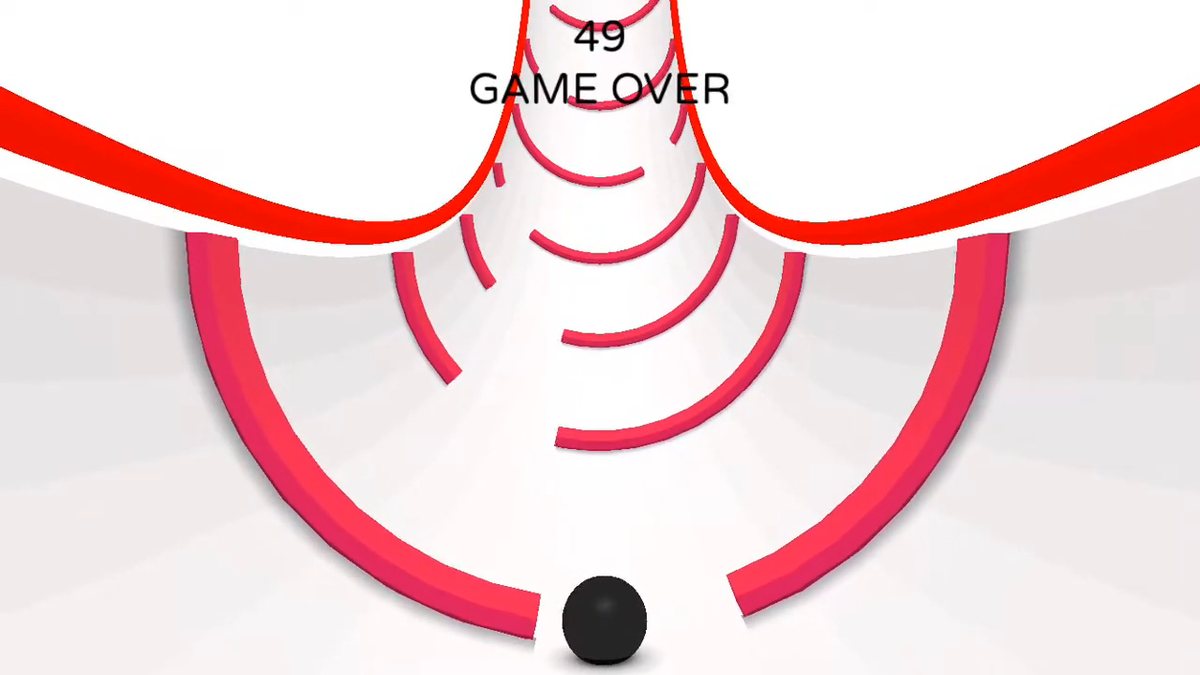
In 2015 I recorded the prototype: a white tunnel, red gates, a black ball. My best score in that video was 49. Eleven years later, it still is.
Then life happened. Two kids, a full-time job, and the project waited on a hard drive.
Leaving Unity, twice
In 2019 I tried to rebuild it from scratch in SceneKit, Apple's 3D framework, to get away from Unity. It got as far as a game over screen, then died on physics. The ball wobbled. It never rolled through the tube the way it should, and without that there was no game.
At the end of 2025 the idea came back. I opened the old projects, got them building again and played with it for a while, until other work took over in January. In April 2026 I tried once more without Unity, this time in Godot. A day or two was enough to know: same problem, the ball didn't feel right.
So on April 3, 2026, I went back to Unity, now Unity 6, and rebuilt the game.
The line that never changed
One line in that 2014 project decides how hard a tap pushes the ball. The Czech comment above it says it's there "because of the terrain's tilt": a light nudge when the ball sits at the bottom, a stronger push as it climbs the wall. When I rebuilt the game in 2026, that line came along.
// 2014, sphere.cs
// spocitam si dot product, kvuli naklonu terenu
float dot = Vector3.Dot(up, mNormal);
float sin = Mathf.Sin( (Mathf.PI - (Mathf.Asin(dot) * 2.0f)) * 0.625f );
side *= (sin + (dot * 0.12f) + 0.28f );

// 2026, Sphere.cs
float dot = Vector3.Dot(up, mNormal);
float sin = Mathf.Sin((Mathf.PI - (Mathf.Asin(dot) * 2.0f)) * 0.625f);
side *= (sin + (dot * 0.12f) + 0.28f) * impulseMultiplier;
0.625, 0.12 and 0.28 are those weeks of tweaking. The 2026 version only adds a multiplier, and the ball's mass is still 0.65, the same as in 2014.
In April 2026 I put the old numbers into the new game, played it, and felt the same joy straight away. Even after eleven years I still remembered how fun it is, and how hard. Or maybe my hands did.
Everything else around that line changed. The line itself is the feel of the game, and only Unity ever got it right.
Loopfall
A lot has changed since. The light tunnel from my notes went neon. And every picture, sketch and page from the beginning, the design doc included, was about one thing: gates. In April 2026 I felt Loopfall deserved more than that. It took a while and about nine ideas for new modes. Two made it: Path to Redemption, where you blast targets, and Mine Field, where you thread through capsule mines. The other seven just weren't right for Loopfall, so I dropped them.
So the red gates became Gates to Hell, one of three modes, and the full game adds a Daily Challenge: a new challenge every day, on the same tunnel for every player. Modern tools, AI included, helped me finally finish it.
But the core is still the one from that Word doc: a ball in a trough, a nudge, a swing back, and a gap to hit.
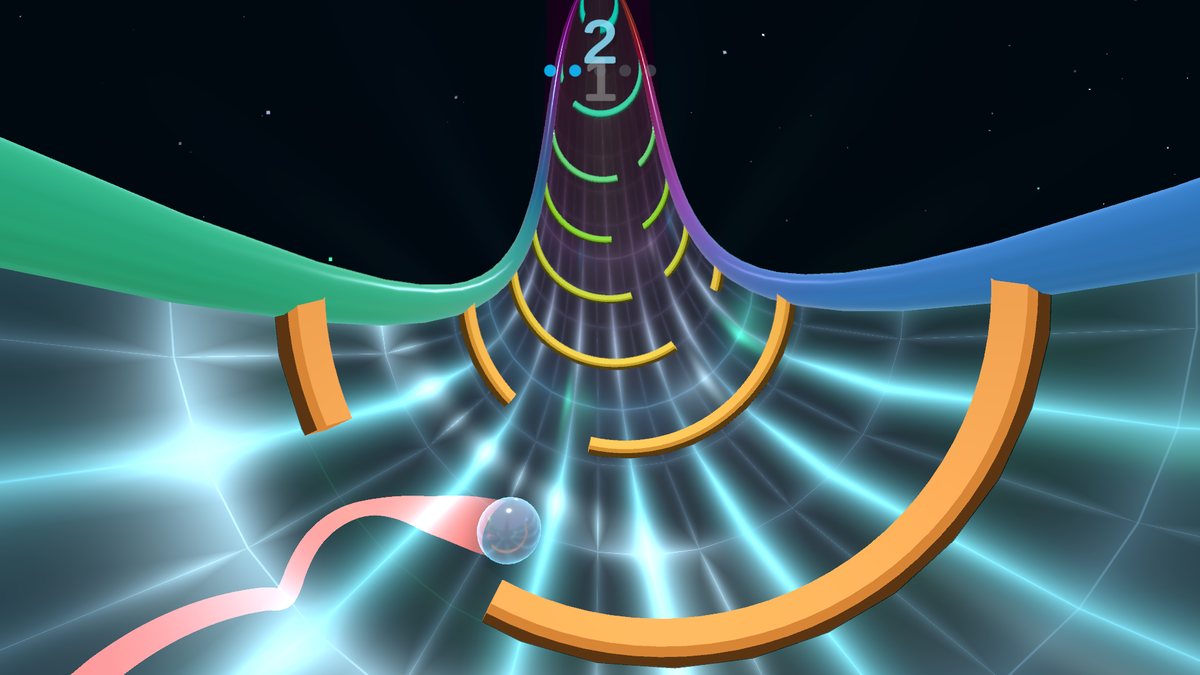
Loopfall is coming to Steam and the App Store, and the free demo is on Steam now. My best score is still 49, from that 2015 video. Can you beat it?
The old MacBook with the Inspiration folder is long gone. The one picture that mattered made it.
— Lukas
AI disclosure: the music and sound effects were made with ElevenLabs, and the translations with Claude. AI also helped with the 2026 code; the idea, the design and the 2014 physics are mine.